


Varo Bank: Online Banking
4.532.96K Reviews
App Specs
- Version
- 4.39.0
- Updated On
- License
- Free
- Downloads
- 5,000,000+
- Developer
- Varo Bank, N.A.
- Categories
- Finance
- Platform
- Android, iOS
Screenshots
 Analysis by AppCompare
I judge a banking app less by the first few minutes than by whether it still earns a place on my phone after the novelty wears off. Varo Bank: Online Banking makes a quick first impression with a tidy layout and features aimed at everyday cash flow, especially early direct deposit. The more useful question is whether those conveniences fit the way you actually handle paychecks, bills, and savings month after month.
What the first week tells you
During the first week, the main appeal is having a mobile banking setup that puts routine money tasks in one place. Varo is a finance app from Varo Bank, N.A., and its emphasis is practical: check your account, keep an eye on transactions, and make payday feel less distant when eligible direct deposits arrive early. Its free-to-download status makes trying it less of a commitment, though a banking app still deserves the same care you would give any account that receives income.
There is a real onboarding trade-off here. Opening a bank account involves sharing sensitive personal details, including the information needed to identify you. That is normal for banking, but it means the decision is not quite as casual as installing a budgeting tool. I would start by thinking about whether I want Varo to become a primary account or simply a place to test a particular routine, such as directing part of a paycheck toward savings.
The app has a 4.5 average from around 245,000 ratings, and it has been installed over five million times. Those figures suggest that many people have considered it for everyday banking, but they do not tell me whether its account setup, support, or timing will suit an individual user. I would treat the first week as a chance to learn the layout and confirm that the basic account workflow feels comfortable rather than assuming popularity guarantees a perfect fit.
Where the recurring value comes from
Early direct deposit is most valuable when it changes a concrete routine, not merely because seeing money sooner feels good. For example, if payday falls close to a rent or utility due date, earlier access may give you more breathing room to move money and schedule payments. I would still plan bills around the official pay schedule rather than building a budget that only works if an early deposit arrives at a particular time. That keeps the benefit useful without making a timing feature the foundation of the whole month.
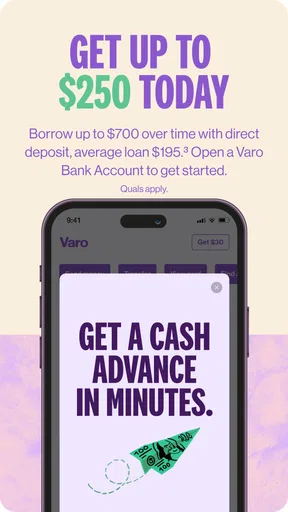
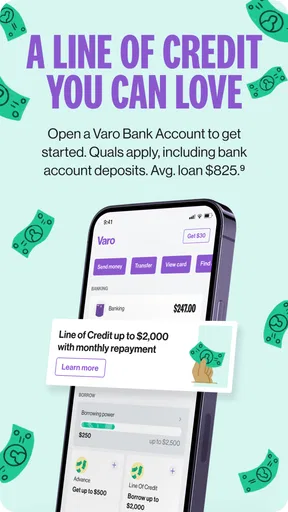
Saving works best when it is easy to repeat and easy to understand. The published app description highlights cash advances and early payday, but I would not treat an advance as income or as a dependable monthly fix; borrowing can solve a short-term gap while leaving less room in the next pay cycle. Before relying on any advance, I would read the current terms in the app and consider whether adjusting a bill date or keeping a small buffer is a better fit for the underlying problem.
Varo is free to download, but I would separate that from the broader question of whether every service or transaction you might use is free. Banking costs can depend on the activity and current terms, so I would check the fee information for the specific action I plan to take rather than infer that a free app means every possible banking need has no cost. That small check is more useful than choosing an account based on a headline alone.
Worth Reading Before You Choose

EA SPORTS FC Mobile 26 Is a Bigger Football Game, but It Takes Time

Flipboard Shows What News Apps Must Do Beyond the Feed

Switching to Android Auto Means Rethinking Your Driving Routine

Google Calendar Makes a Crowded Week Easier to Manage

Ludo King Makes the Most of the Minutes Between Plans

Baby Panda World Brings Quick Play to Modern Phones, but Its Game Library Feels Busy
How it fits beside other banking choices
Compared with a traditional bank app, a mobile-first account can feel more direct: there is less emphasis on visiting a branch and more on handling ordinary tasks through the phone. That can suit someone who already pays bills digitally and wants a simple place for incoming pay. A branch-based bank may still be better if you often need in-person help, cash services, or a relationship with a local team. I would choose according to the tasks I actually do, not according to which interface looks newer.
It also sits in a different lane from a dedicated budgeting app. A budgeting tool may help you see spending across accounts or plan categories, while a bank account is where deposits and payments happen. If your main problem is understanding where your money goes, a banking app alone may not offer the planning view you need. If your priority is managing deposited funds and checking activity, adding a separate tool can be unnecessary overhead.
For a realistic example, imagine a worker whose paycheck lands shortly before several recurring bills. I would use early access as a cushion, keep the bills tied to a conservative expected date, and review transactions when notifications arrive. If the account is also used for savings, I would decide in advance what balance must stay available for essentials before moving anything aside. That simple order—bills, buffer, then savings—helps prevent a convenient feature from creating a cash shortfall later.
Maintenance, security, and support
A banking app earns lasting space when checking it becomes a quick habit rather than another chore. Transaction notifications can help me spot activity promptly, but notifications are only useful if I respond to them. I would keep them enabled for account activity, review anything unfamiliar through the app, and avoid treating a phone alert as a substitute for checking statements and account details carefully. A few seconds of attention can make the difference between useful visibility and background noise.
Varo's current version is 4.32.0, and it requires Android 10 or later. The app is rated for Everyone, although the account itself is a financial service that calls for adult judgment and careful handling of personal information. I would keep the operating system updated, use a strong device passcode, and avoid signing in on shared devices. Those habits matter with any mobile bank, regardless of how polished its interface feels.
When choosing a primary account, I would also think through the unglamorous cases: what I would do if my phone were unavailable, a card were misplaced, or a payment needed attention quickly. The app offers support options, including chat and phone support, but a user should understand how to reach help before a stressful moment. I would check the current in-app support route and keep a separate record of the information needed to contact the bank, without storing sensitive credentials somewhere easy to expose.
Who is likely to keep using it
I can see Varo fitting someone who is comfortable banking by phone, receives direct deposit, and wants a straightforward account for daily money movement. It may also suit a person trying to make saving more regular, provided the savings routine does not leave too little available for upcoming expenses. The best test is not whether every feature sounds attractive on day one; it is whether one or two of them solve a recurring problem without adding extra work.
I would hesitate if you rely heavily on branch visits, need a specific banking service that you have not confirmed Varo supports, or are considering cash advances as a routine way to make a budget balance. Those situations call for checking the exact account terms and comparing alternatives before moving regular income. The app is not automatically the wrong choice in those cases, but convenience should not outweigh access, cost, and timing requirements that matter to you.
Getting Started with Varo Bank
First things first, downloading Varo Bank: Online Banking from the App Store or Google Play is a breeze. Once installed, the app greets you with a clean, intuitive interface that screams user-friendly. Setting up an account is a straightforward process, requiring only the usual details like your name, address, and social security number. Within minutes, I was ready to start my digital banking journey.
The User Interface and Experience
One of the first things you'll notice about Varo Bank is just how sleek and intuitive the user interface is. The design is minimalistic but functional. Navigating through the app feels like flipping through a well-organized digital diary. Each section is clearly labeled, and you won't find yourself hunting for features. Everything is exactly where you'd expect it to be.
Varo Bank has managed to strike a balance between aesthetics and functionality—something that many other banking apps struggle with. The color scheme is easy on the eyes, and the icons are both clear and aesthetically pleasing. It’s like the designers took a course on how to make users smile while they manage money.
Features That Stand Out
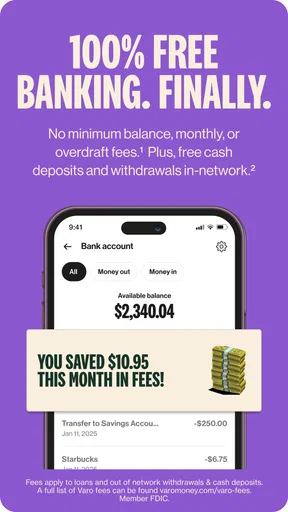
Let's dive into the features that make Varo Bank a potential game-changer in the online banking space. First up is the no-fee policy. That's right—no monthly maintenance fees, no overdraft fees, and no foreign transaction fees. It's like someone finally realized that banking doesn't have to cost an arm and a leg.
The app also offers a high-yield savings account. You can earn an impressive interest rate, much higher than what traditional banks offer. Plus, there’s an easy-to-use savings tool that rounds up every purchase to the nearest dollar and transfers the difference into your savings account. It’s like having a digital piggy bank that saves without you even thinking about it.
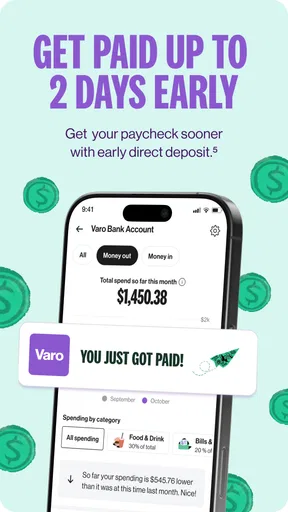
Another standout feature is early direct deposit. Imagine getting your paycheck up to two days earlier than usual. It’s a lifesaver when you’re counting down the days till payday. I don't know about you, but getting my hard-earned cash earlier always makes my day a little brighter.
Security Measures
In the age of digital banking, security is a top concern for everyone. Varo Bank doesn't skimp on this front. It uses top-notch security protocols, including encryption and two-factor authentication. You can rest easy knowing that your financial information is locked up tighter than Fort Knox.
Moreover, the app keeps you informed with instant notifications. Every time there's a transaction, you get a ping. It's like having a personal assistant who makes sure you're always in the loop.
Customer Support
Even the best apps can hit a snag, and when they do, effective customer support is crucial. Varo Bank offers several support options, including an in-app chat feature that's available during business hours. The responses are quick and helpful, as if they handpicked the most patient and knowledgeable people for their support team.
If you prefer a more traditional route, there's also a phone support option. But honestly, the in-app chat is so efficient that you might never need it.
Final Thoughts
Overall, Varo Bank: Online Banking impressed me with its blend of modern banking features and user-centric design. It offers everything you need in a banking app without the unnecessary fees that often accompany traditional banking. It feels like a breath of fresh air in a world where banking can sometimes feel like a chore.
So, if you're looking to switch to a bank that gets you and makes managing your finances feel less daunting, Varo Bank might just be the perfect fit. Give it a try, and you might find yourself recommending it to friends just like I am right now!
Pros
- No monthly fees or minimum balance required.
- High-yield savings account with competitive rates.
- Early direct deposit for faster access to funds.
- User-friendly interface and easy navigation.
- FDIC insured for secure banking experience.
Cons
- Limited physical branch access for cash services.
- No joint accounts or multiple user support.
- Mobile check deposit limit can be restrictive.
- No international wire transfers available.
- Customer service only available online or by phone.
FAQs for Varo Bank: Online Banking
What features does Varo Bank offer for managing my finances?
Varo Bank provides a wide range of features designed to help you manage your finances efficiently. These include budgeting tools, savings accounts with competitive interest rates, and a user-friendly interface for tracking expenses. Additionally, Varo offers early access to direct deposits, no monthly fees, and no minimum balance requirements, making it an attractive option for many users.
Is Varo Bank secure for online transactions?
Yes, Varo Bank employs advanced security measures to protect your personal and financial information. It uses encryption and multi-factor authentication to ensure that all transactions are secure. Additionally, Varo is FDIC-insured, which means your deposits are protected up to $250,000, providing an added layer of security and peace of mind.
Can I access Varo Bank services without a traditional bank account?
Absolutely, Varo Bank is designed to be a standalone mobile banking solution. You do not need a traditional bank account to use Varo's services. You can open an account directly through the app, and it provides all the essential banking functions such as deposits, withdrawals, and money transfers, all from your mobile device.
Does Varo Bank charge any fees for its services?
Varo Bank is known for its no-fee policy on many common banking services. There are no monthly maintenance fees, no minimum balance requirements, and no overdraft fees. However, it is important to be aware of potential fees for certain services, such as using out-of-network ATMs, which may incur charges.
How easy is it to deposit and withdraw money with Varo Bank?
Depositing and withdrawing money with Varo Bank is straightforward and convenient. You can deposit checks using the mobile app's check deposit feature, set up direct deposits, or transfer money from other bank accounts. For withdrawals, you can use Varo's network of ATMs. The app provides a map to help you locate fee-free ATMs nearby.


